- Hackathon
- 1st Place
SparkAI Canvas
Voice-first spatial thinking tool (hackathon build)
Voice-first spatial workspace built in ~3 hours at the Cursor Hackathon Bucharest 2025. Chats, notes, planners, and build outputs live as nodes on a React Flow canvas; the drawer supports Tap to Speak and call mode, and Build turns linked context into previewable artifacts.
- React
- TypeScript
- React Flow
- Convex
- Voxtral STT
- OpenAI
- ElevenLabs
- Codex
From a spoken idea to a connected artifact
SparkAI Canvas turns voice into reusable spatial context: conversations become nodes, linked nodes become plans or notes, and selected context becomes a previewable build output.
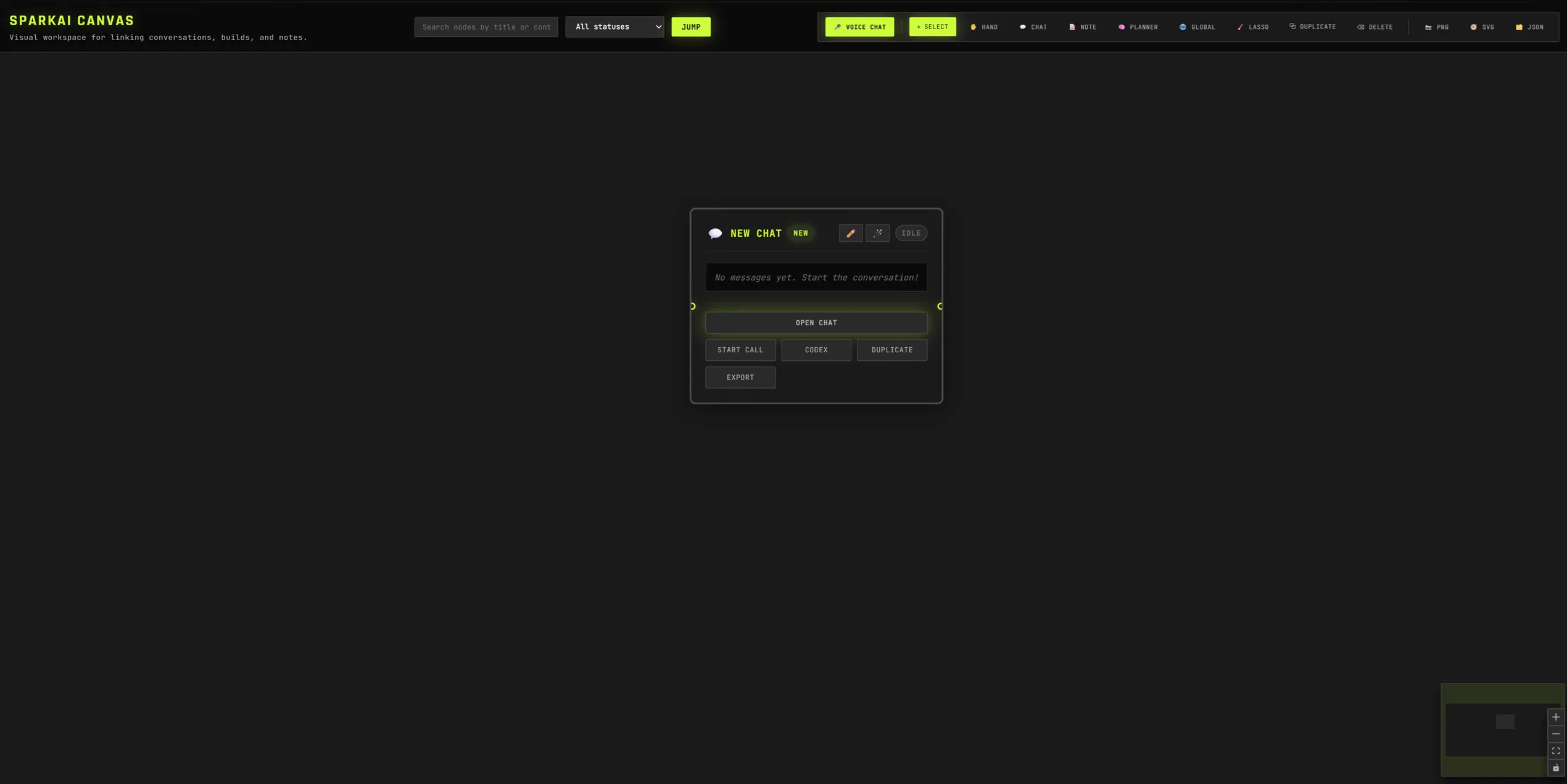
The user records an idea from a chat node
Tap to Speak records WebM or call mode streams audio. The client stores the recording through Convex and keeps the active chat connected to its position and relationships on the React Flow canvas.
Stored audio attached to a durable spatial conversation node.
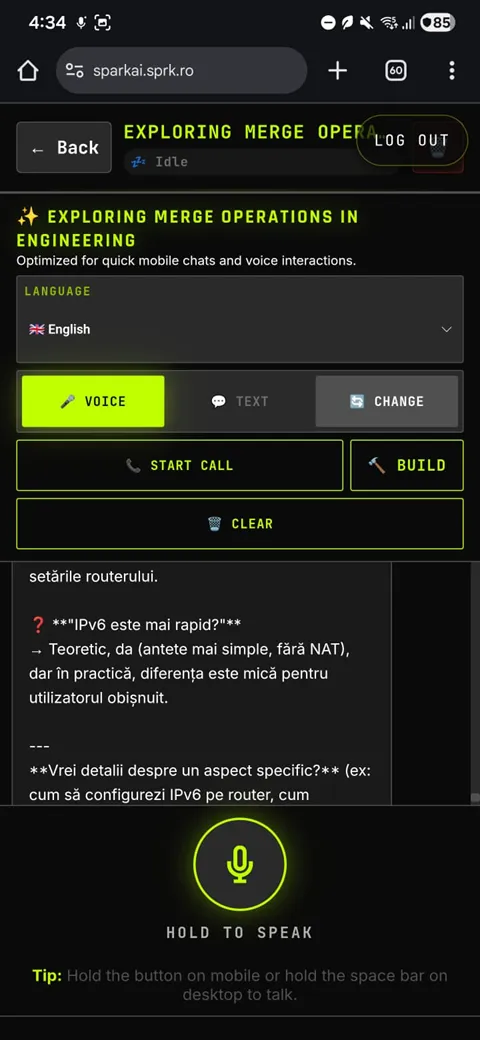
Speech becomes a synchronized multimodal reply
Voxtral, Whisper, or ElevenLabs transcribes audio; the configured LLM generates a response; ElevenLabs can synthesize speech. Signed URLs return without exposing provider credentials to the browser.
Transcript, assistant response, and optional reply audio.
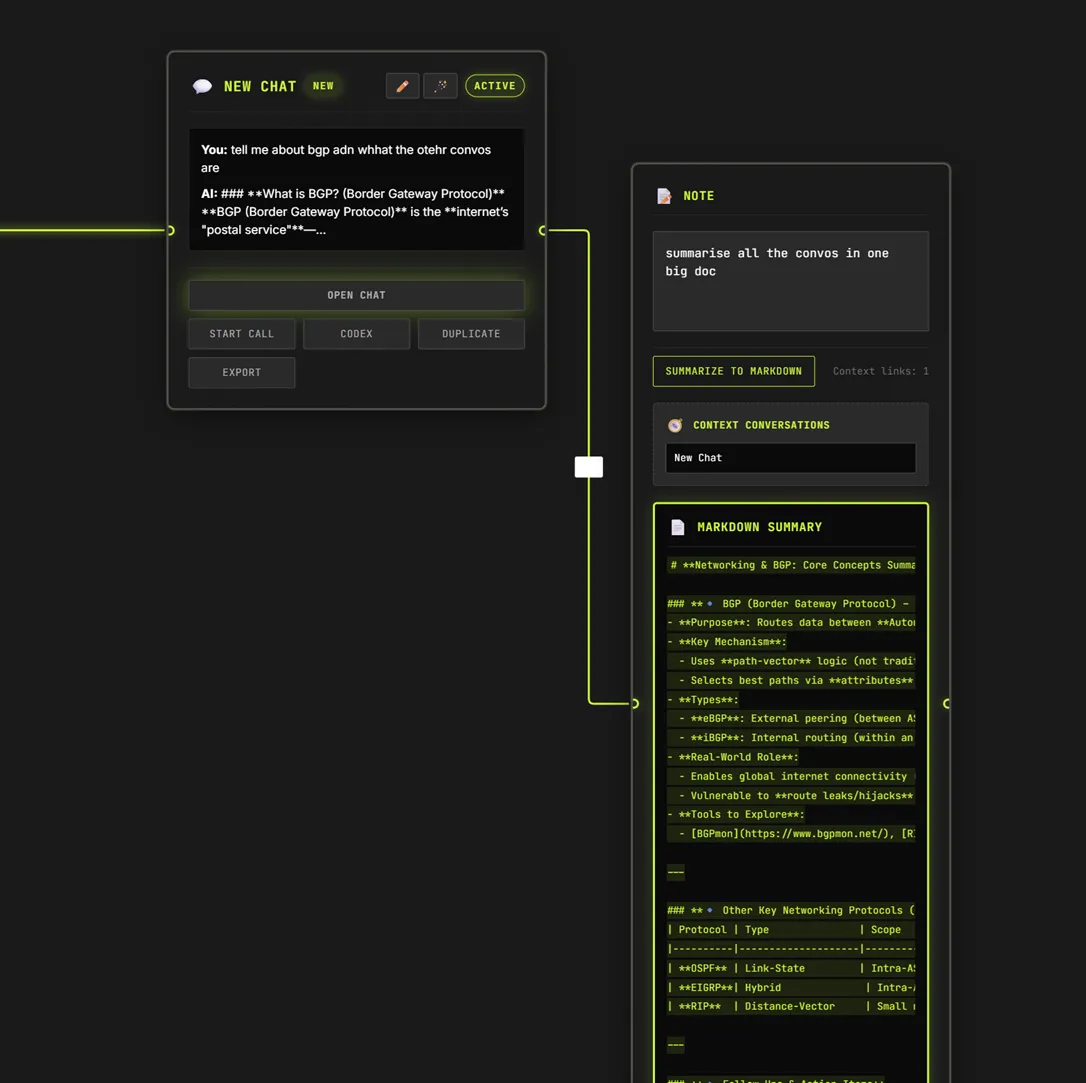
Related conversations become reusable context
Users link chats into notes, search nodes semantically, or run Planner to create agent nodes for subtasks and compile their work into a summary node.
A navigable knowledge graph of ideas, decisions, and plans.
Selected context becomes a concrete artifact
The Build action sends linked conversation context to Codex, generates Markdown or HTML, stores the result as a node, and opens an in-app preview that can be revisited or exported.
A previewable output instead of another disconnected chat answer.
Why it exists
Voice is the fastest input. The hard part is turning a recording into something you can revisit, link, and reuse.
SparkAI Canvas keeps conversations as spatial nodes so context stays connected, searchable, and buildable into artifacts.
Use cases
- Research and learning maps for complex domains.
- Meeting capture into linked summaries and action docs.
- Rapid prototyping of content and UI stubs from spoken ideas.
Capabilities
- Voice-first chat
- PTT capture + low-latency STT/LLM/TTS roundtrip.
- Spatial context
- link chats into notes; summarize linked context into a reusable node.
- Planner runs
- creates agent nodes for sub-tasks and compiles an executive summary.
- Build outputs
- generate concrete artifacts (Markdown/HTML) instead of just text replies.
- Semantic search
- find nodes by meaning (embeddings), not only keywords.
- Provider switching
- swap STT/LLM providers via environment variables without code changes.
Surfaces
- Canvas
- Chat/Note/Planner/Global nodes on a React Flow canvas with minimap, multi-select, and exports.
- Chat drawer
- Tap to Speak (PTT), optional call mode, text fallback, language toggle, and clear history.
- Planner
- Turns a task into a plan, spawns agent nodes, and writes a Planner Summary node.
- Build
- Generate HTML/Markdown outputs from the conversation and preview them in-app.
How it flows
- Create or open a chat node (or use Quick Voice Chat)
- Tap to Speak records WebM (MediaRecorder) or Start Call streams audio
- Audio is stored in Convex Storage; an action runs STT (Voxtral/Whisper/ElevenLabs)
- LLM generates the reply (Mistral/OpenAI), then TTS renders audio (ElevenLabs)
- Signed URLs return to the client; the drawer plays the reply and persists the transcript
- Optional: Build generates an HTML/Markdown artifact and opens an in-app preview
Demo highlights
- Quick Voice Chat creates a new node and opens the drawer with call mode ready.
- Link multiple chats into a Note node, then summarize their shared context into the note.
- Run Planner on a task to spawn Agent nodes and compile a Planner Summary node.
- Use Build to generate a Markdown brief or HTML stub and preview it instantly.
- Use Global Chat to semantically search across the canvas.
Integrations
Convex (serverless core)
- Canvas state + chat messages stored in tables; realtime queries keep the UI synced.
- Audio in/out stored in Convex Storage using short-lived signed URLs.
- Secrets live in Convex env vars; the client never sees provider keys.
Voice providers (swappable)
- Mistral Voxtral STT with built-in VAD for low-latency transcription.
- OpenAI Whisper fallback (and optional ElevenLabs STT).
- ElevenLabs TTS for spoken replies.
Canvas + build
- React Flow canvas with node types: Chat, Note, Planner, Agent, Summary, Global Chat, Task.
- Build with Codex generates Markdown/HTML artifacts and previews them in a modal.
- Exports: canvas PNG/SVG/JSON and per-conversation JSON.
Outcome
A voice-first canvas that turns conversations into structured, linked outputs: notes, plans, and build artifacts, synced in real time.